


You have probably played some game where you could see how a health bar was floating precisely over your enemy’s head or where a notification about pressing “E” for interaction showed up next to the door. That is all about the world UI. This concept misleads a lot of beginners because by “world” one does not mean the entire game world but rather another kind of user interface. The knowledge of the difference is one of the things that will help you understand the principles of gaming UI design. In this blog post, we will clear the misunderstanding about the world UI, its meaning, examples and compare it with screen space and diegetic UI.
What Is World Space UI?
World space UI, also known as 3D environment World Space, involves those elements of the interface which belong to the three-dimensional game world rather than float on the screen surface. Such elements are connected to some specific objects or points in the virtual world and change their position, scale and rotation together with the camera and all other game objects. This is what constitutes the notion of UI world space in video games.
World UI vs. Screen Space UI
The difference between world UI and diegetic UI is closely related to this comparison too, but the core distinction below focuses purely on how each type renders and behaves in relation to the camera.
Aspect | World Space UI | Screen Space UI |
Position | Anchored to objects or points in the 3D environment | Fixed on the screen overlay regardless of camera movement |
Scaling | Shrinks or grows with camera distance | Stays the same size at all times |
Occlusion | Can be blocked by walls or objects | Always visible, never occluded |
Typical use | Floating health bars in games, interaction prompts, quest markers | Main HUD elements like ammo count, minimap, inventory icons |
Best for | Spatial interface needs tied to specific objects | Persistent info the player always needs access to |
Knowing how world UI works in game development alongside screen space UI helps designers decide which approach fits each interface element best.
Common Examples of World UI in Games
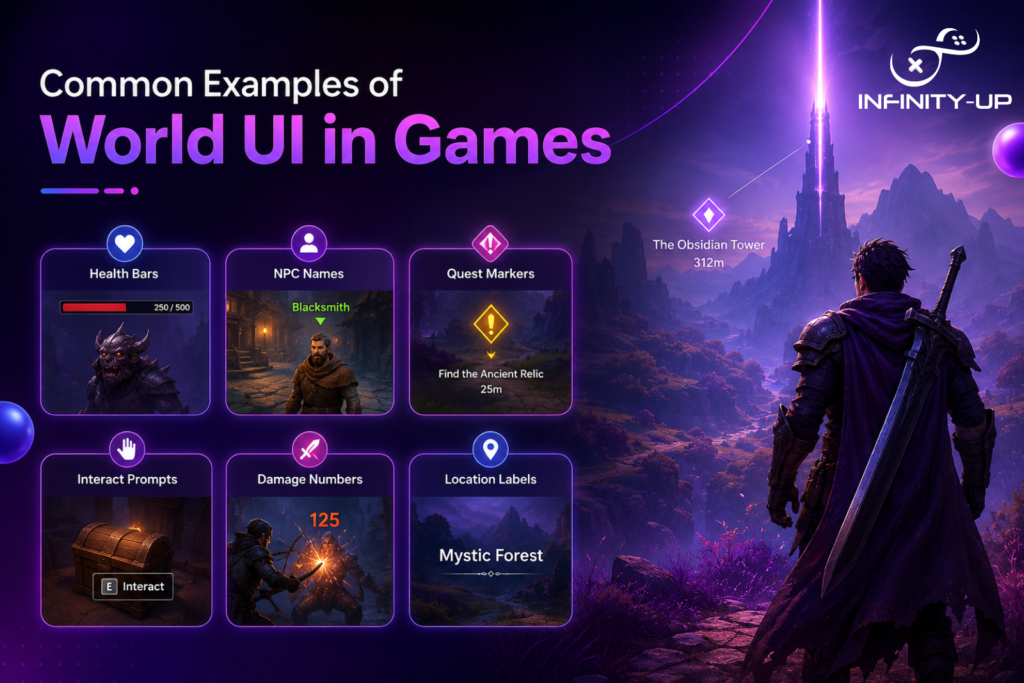
World space UI in games shows up across nearly every genre, usually in these forms:
- Floating health bars in games above the player’s character in games and decrease as well as hide behind walls with the camera movement
- Damage indicator that appears precisely where damage is dealt, showing immediate reaction without cluttering the overlay
- Interaction notification in games, for example, an icon that indicates your proximity to a chest or lever
- Quest marker in gaming UI which stays connected to its actual location instead of the screen
- NPC name tags that follow object-anchored UI logic, appearing only when relevant
World UI vs. Diegetic UI
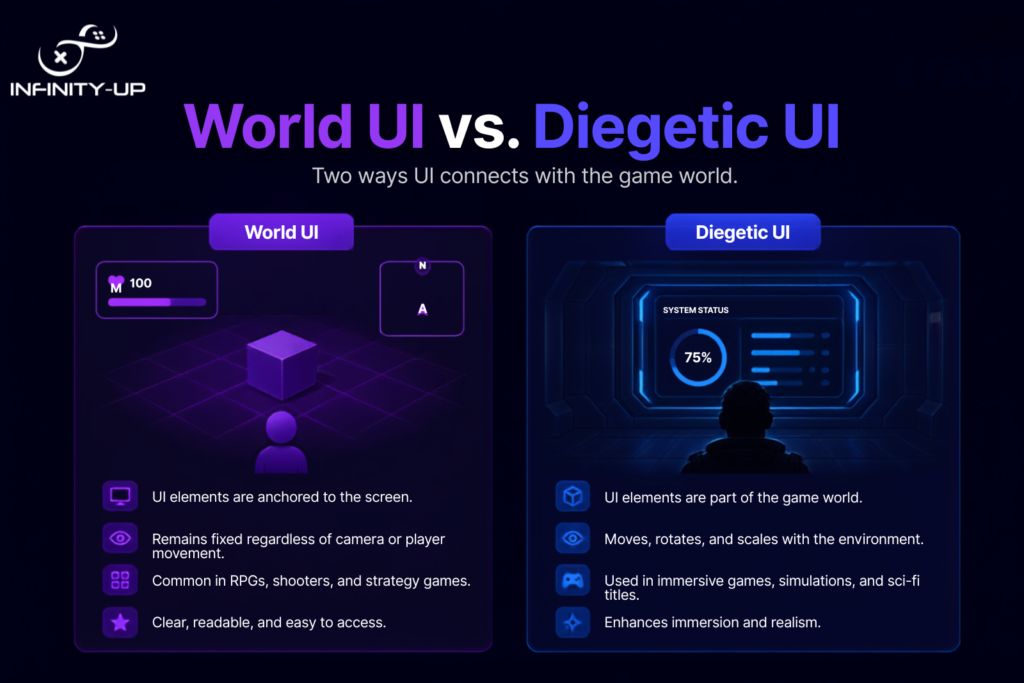
There is confusion when it comes to diegetic UI vs world UI; however, the former has a more specific meaning, which is related to the designing of immersive game UI design. In essence, whereas the latter refers to the way in which an object is placed and displayed in a 3D world, the former refers to the fact if the object makes narrative sense such as a holographic wrist screen which can be seen by the character in the game.
How World UI Works in Game Engines
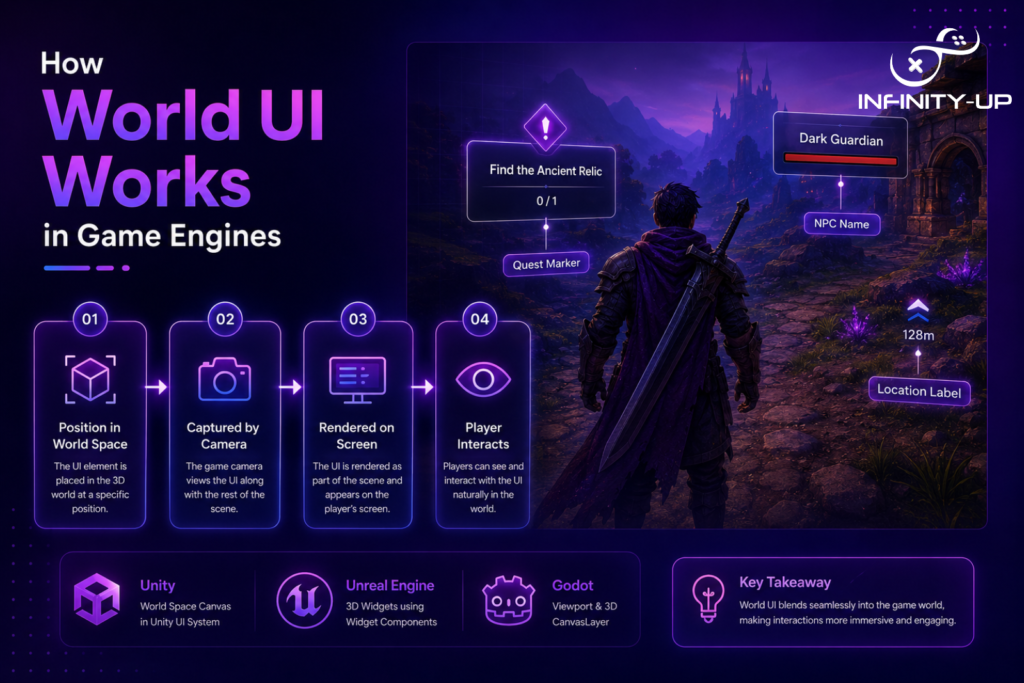
Game engine UI rendering handles world space differently depending on the engine, though the underlying concept stays the same.
Engine | Tool/Feature | What It Does |
World space canvas in Unity | Places UI elements directly into the 3D scene so they behave like any other game object | |
Unreal Engine | Unreal Engine world UI widgets | Attaches interface elements to actors within the engine’s rendering pipeline |
Both techniques provide total control to the developer for the interaction between the UI overlay and the virtual world, camera, and occlusion of objects. For those who wish to know about this in connection with other interactive elements of the game, it is common for gaming sites to deal with such systems.
Why World UI Matters for Player Experience
Good world UI user interface design helps players stay engaged because it associates information with the action in question rather than forcing them to look at an overlay screen. It allows for spatial awareness in that players are able to gauge distances and relevance from the positioning of objects in a 3D environment. This type of player interaction design makes for a clutter-free design where the interface blends into the environment.
You would also like to read: Shaders in Game Development
Best Practices for World UI Design
A few core principles separate effective world UI from frustrating, hard-to-read implementations.
- Make the texts and icons easy to read from afar, because the items could become illegible as the camera gets further away
- Handle the occlusion process in such a way that the items would disappear seamlessly when blocked, and not cut holes through walls
- Be performance-aware, as too many active HUD elements and object-anchored UI elements would affect performance of the scene with multiple NPCs and objects
Conclusion
“World” in the context of game development UI just means interface components embedded into the 3D environment as opposed to those floating above. Once you differentiate between world UI, screen space UI, and diegetic UI, the entire subject matter will become much simpler. No matter what you may be creating, whether floating health bars, action instructions, or full HUD you should learn about these UI components.
Build Immersive UI With INFINITY-UP
At INFINITY-UP, we design intuitive interfaces that blend seamlessly with your game world, from world-space elements and HUDs to interactive menus and overlays. Whether you’re building a mobile, PC, or console game, our team is ready to help bring your vision to life. Get in touch with INFINITY-UP today and create a user experience players will remember.
Frequently Asked Questions
Q1: Is world UI the same as 3D UI?
Not exactly, world UI refers to placement within the 3D environment, while 3D UI can also describe the visual style of the elements themselves.
Q2: Does world UI affect game performance?
Yes, too many world UI elements rendering simultaneously can impact performance, especially in crowded scenes.
Q3: Can world UI be used in 2D games?
Yes, though it’s far more common and visually impactful in 3D games.
Q4: What's the difference between world UI and HUD?
A HUD is typically a screen space UI showing persistent info like health or ammo, while world UI is tied to specific objects or locations within the 3D scene.